> ## Documentation Index
> Fetch the complete documentation index at: https://docs.spectate.net/llms.txt
> Use this file to discover all available pages before exploring further.
# Pause and delete
## Pause a domain name
If you want to temporarily pause checks for your domain name, you can do so from two places:
### Pause a domain name from the list
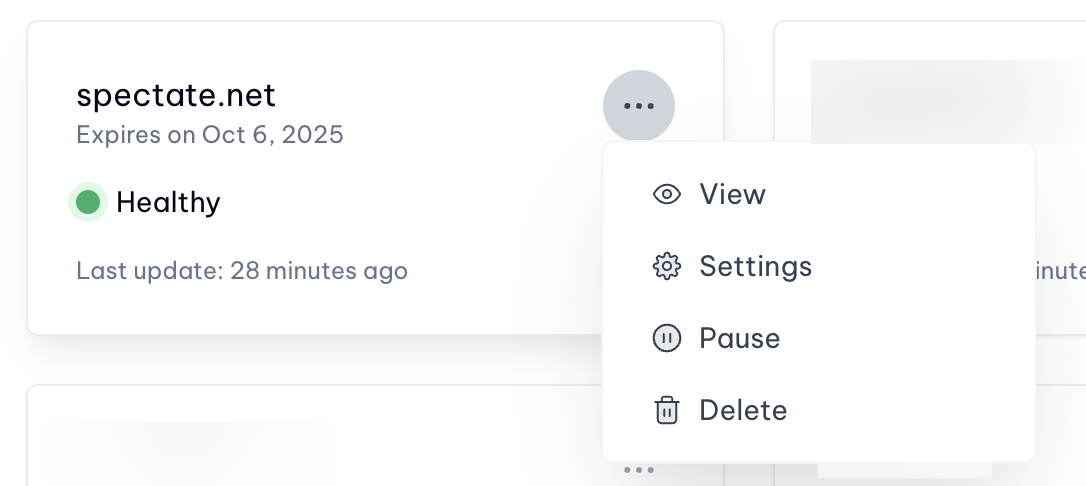
Click on the three dots next to the domain name you want to pause, and select **Pause**.
 ### Pause a domain name from the domain name settings page
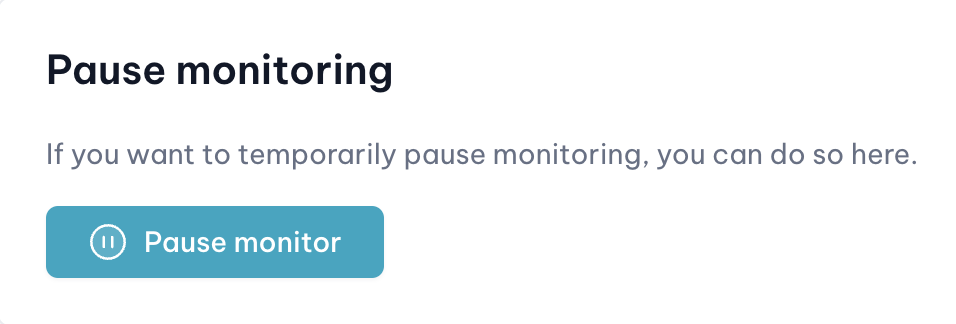
Go to the domain name's settings page. You will find the **Pause** button at the bottom of the page, above the danger zone.
### Pause a domain name from the domain name settings page
Go to the domain name's settings page. You will find the **Pause** button at the bottom of the page, above the danger zone.
 ## Delete a domain name
If you want to delete a domain name, you can do so from the domain name's settings page. You will find the **Delete** button at the bottom of the page.
Deleting a domain name will also delete all of its associated data, including the domain name's history of incidents.
This action is irreversible.
## Delete a domain name
If you want to delete a domain name, you can do so from the domain name's settings page. You will find the **Delete** button at the bottom of the page.
Deleting a domain name will also delete all of its associated data, including the domain name's history of incidents.
This action is irreversible.