> ## Documentation Index
> Fetch the complete documentation index at: https://docs.spectate.net/llms.txt
> Use this file to discover all available pages before exploring further.
# Incident details
On the incident's detail page you will be able to navigate your incident's timeline, see the incident's details, and manage the incident.
## Sections
### Header
In the header you can find the incident's title and status (not acknowledged, acknowledged or resolved).
If the incident has not been acknowledged yet, you can acknowledge it by clicking on the acknowledge button. If the incident has been acknowledged, you will see a badge showing that the incident has been acknowledged.
Once the incident has been resolved, you will see a badge showing that the incident has been resolved.
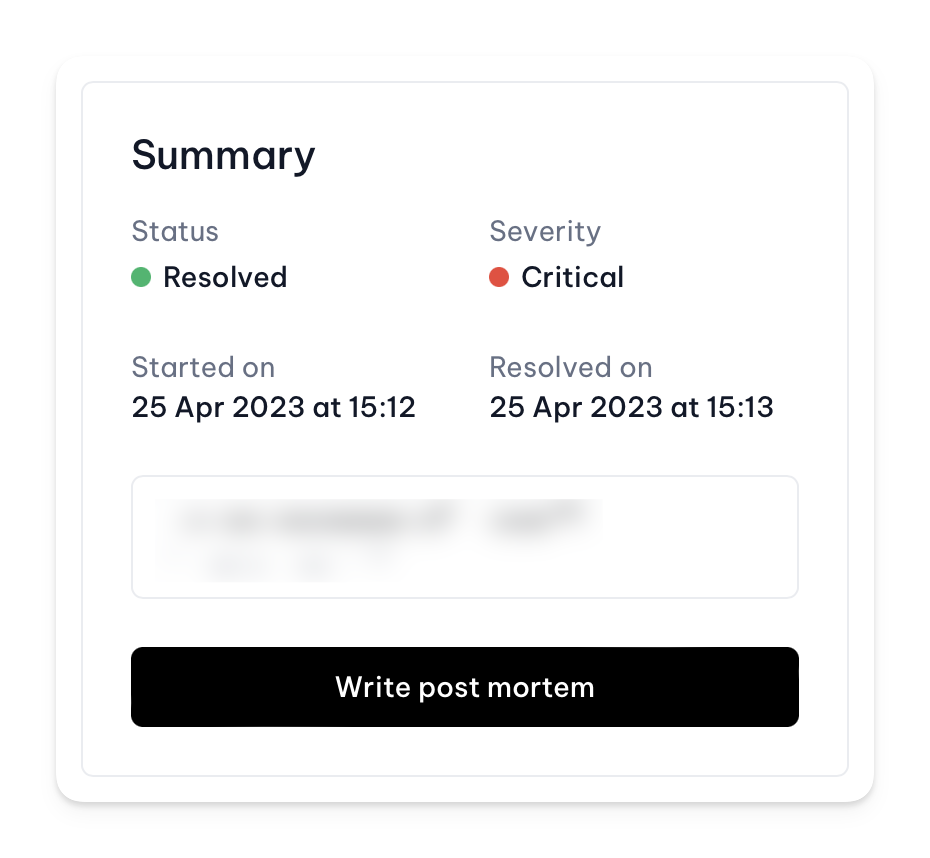
### Summary
The incident's summary is a quick overview of the incident's details. It includes the incident's status, priority, and the monitor that triggered the incident. You can also see the incident's start time and the time it was last updated. If the incident is resolved, you will be able to write, or if it already exists view, a postmortem.
 ### Cause and request
Self-explanatory, these sections show the incident's cause and a cURL command to reproduce the request we performed.
The cURL command is only available if the monitor that triggered the incident is a HTTP or HTTPS monitor.
### Actions
In the actions section you can find the following buttons:
* Delete; this will delete the incident.
* View status page report; this will open the incident's status page report in a new tab if it exists.
### Incident AI
See [Incident AI](/features/incident-management/incident-ai) for more information.
### Timeline
See [Timeline](/features/incident-management/timeline) for more information.
### Screenshots
See [Screenshots](/features/incident-management/screenshots) for more information.
### Cause and request
Self-explanatory, these sections show the incident's cause and a cURL command to reproduce the request we performed.
The cURL command is only available if the monitor that triggered the incident is a HTTP or HTTPS monitor.
### Actions
In the actions section you can find the following buttons:
* Delete; this will delete the incident.
* View status page report; this will open the incident's status page report in a new tab if it exists.
### Incident AI
See [Incident AI](/features/incident-management/incident-ai) for more information.
### Timeline
See [Timeline](/features/incident-management/timeline) for more information.
### Screenshots
See [Screenshots](/features/incident-management/screenshots) for more information.