> ## Documentation Index
> Fetch the complete documentation index at: https://docs.spectate.net/llms.txt
> Use this file to discover all available pages before exploring further.
# Smart incident merging
> Efficiently merge incidents that are most likely related to each other.
Spectate efficiently merges incidents that are most likely related to each other. This is done by comparing the incidents' metadata and the monitor that triggered the incident. If the incidents are similar enough, they are merged into a single incident.
## How it works
Without smart incident merging, Spectate will create a new incident for every event that is triggered by a monitor. This can lead to a large number of incidents that are related to the same issue.
With smart incident merging enabled, you prevent alert noise and fatigue. You will also end up with a more detailed timeline of what happened.
### Example
For example, the following monitor triggered a performance degradation incident. However, it was quickly followed up by a failed uptime heartbeat, which would normally create a new incident.
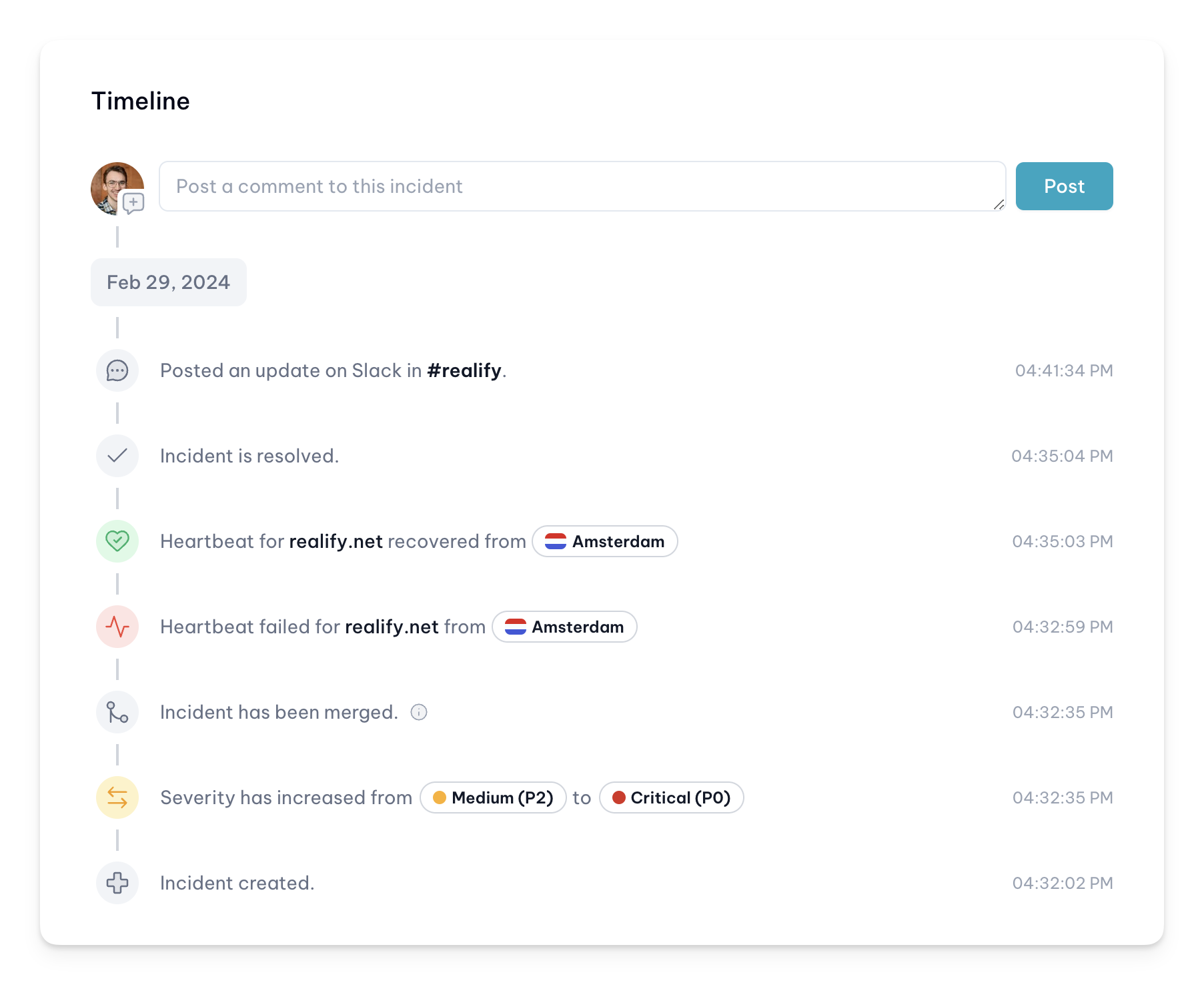 Because smart incident merging is enabled, the failed uptime heartbeat is merged into the performance degradation incident. This way, you have a single incident that contains all the relevant information.
In this case, it will also trigger an alert while the original incident, with a medium severity, did not.
## Settings
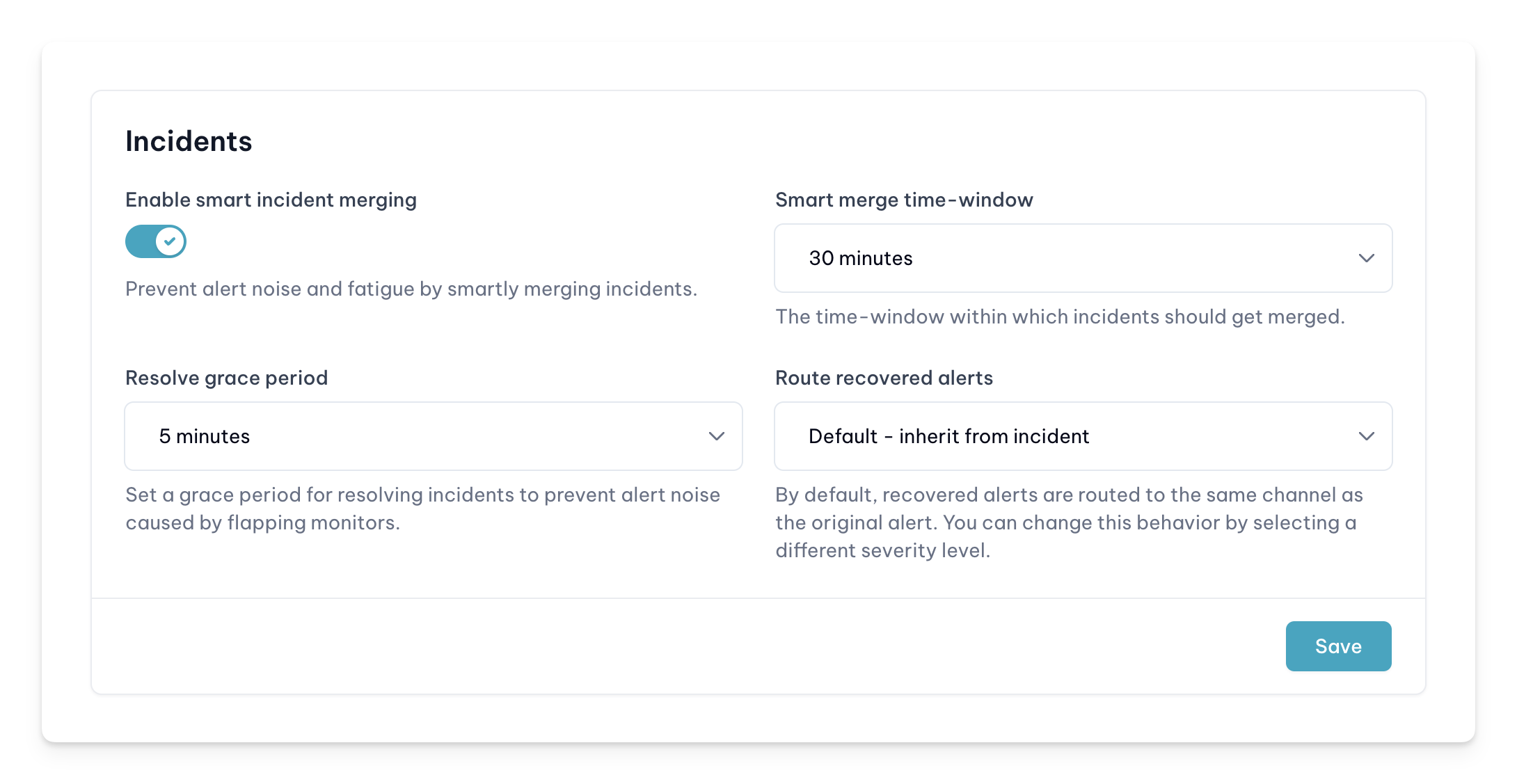
You can enable smart incident merging in the settings of your team. Go to the settings of your team and enable the `Smart incident merging` setting.
Optionally, you can also change the `Merge time-window` setting. This setting determines the time window in which incidents are merged. By default, this is set to 30 minutes.
Because smart incident merging is enabled, the failed uptime heartbeat is merged into the performance degradation incident. This way, you have a single incident that contains all the relevant information.
In this case, it will also trigger an alert while the original incident, with a medium severity, did not.
## Settings
You can enable smart incident merging in the settings of your team. Go to the settings of your team and enable the `Smart incident merging` setting.
Optionally, you can also change the `Merge time-window` setting. This setting determines the time window in which incidents are merged. By default, this is set to 30 minutes.