> ## Documentation Index
> Fetch the complete documentation index at: https://docs.spectate.net/llms.txt
> Use this file to discover all available pages before exploring further.
# User reports
> Report incidents directly from your status page.
User reports are a unique feature of Spectate that allows your users to report incidents directly from your status page instead of sending an email.
This is useful in case services are experiencing issues that have not yet been detected by the monitoring system. Or when your email is down and users can't send you an email.
## Features
### Threshold notifications
You can configure a threshold for the number of user reports within a certain time period. If the threshold is reached, you will receive a notification based on your [alert policy](/features/alerting/alert-policies).
### Status page status
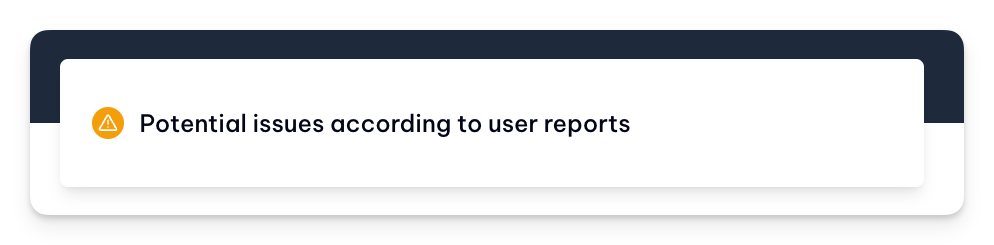
If the threshold is met, you can optionally enable the status page to automatically change its status to **Potential issues according to user reports** indicating that there might be an issue with your services, but it has not yet been confirmed by the monitoring system.
 ## Settings
## Enable user reports
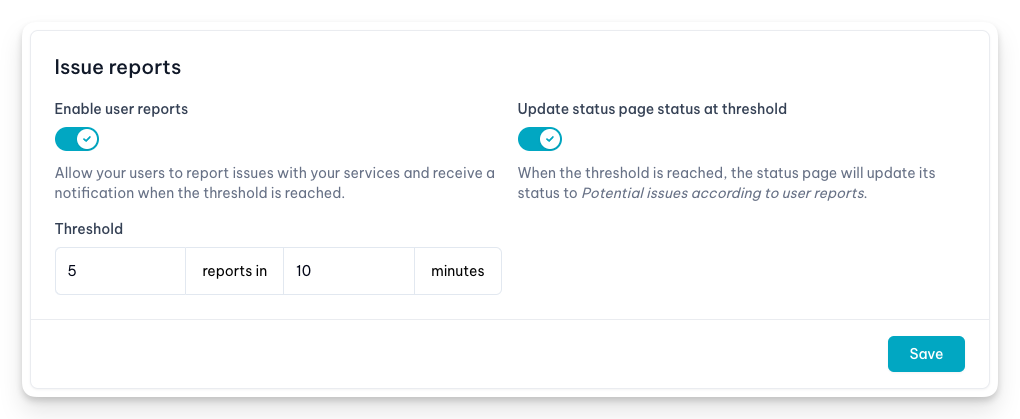
You can enable user reports for your status page by going to the **Settings** tab and checking the **Enable user reports** option. This is the default for new status pages.
## Settings
## Enable user reports
You can enable user reports for your status page by going to the **Settings** tab and checking the **Enable user reports** option. This is the default for new status pages.
 ### Update status page status at threshold
You can enable the status page to automatically change its status to **Potential issues according to user reports** if the threshold is met.
### Threshold
You can configure the threshold for the number of user reports within a certain time period. If the threshold is reached, you will receive a notification based on your [alert policy](/features/alerting/alert-policies).
### Update status page status at threshold
You can enable the status page to automatically change its status to **Potential issues according to user reports** if the threshold is met.
### Threshold
You can configure the threshold for the number of user reports within a certain time period. If the threshold is reached, you will receive a notification based on your [alert policy](/features/alerting/alert-policies).